|
Active Directory : Add Computer Accounts
2017/01/15 |
|
Add Computer Accounts on Active Directory.
|
|
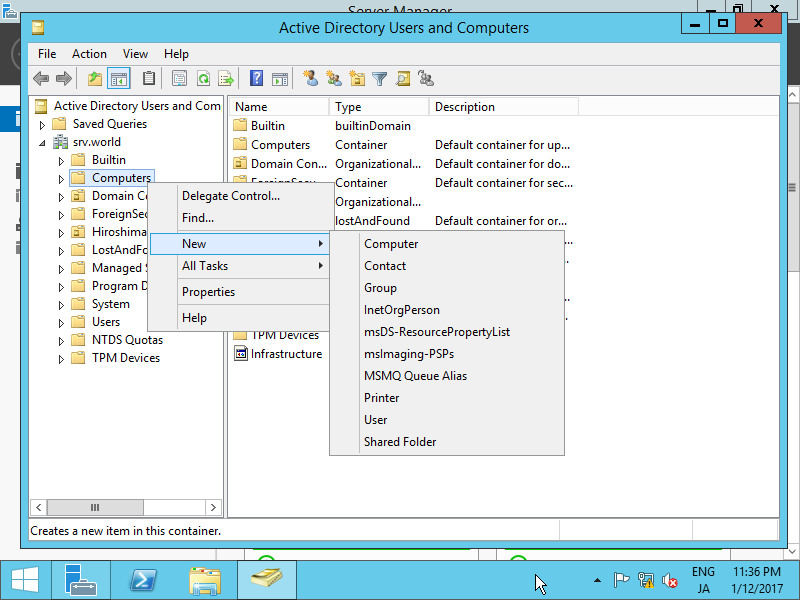
| [1] | Run [Server Manager] and open [Tools] - [Active Directory Users and Conputers], next, Click with right button [Computers] on left tree and select [New] - [Computer]. |
|
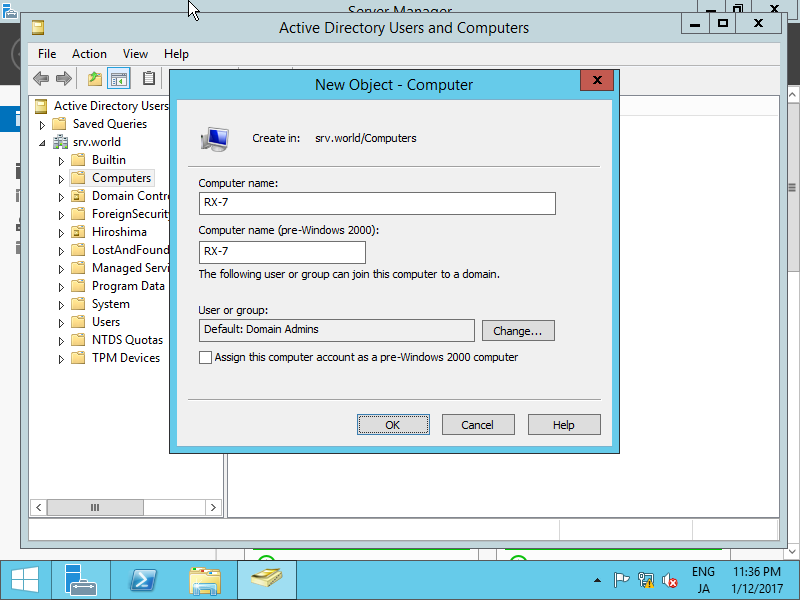
| [2] | Input a new Computer name. |
|
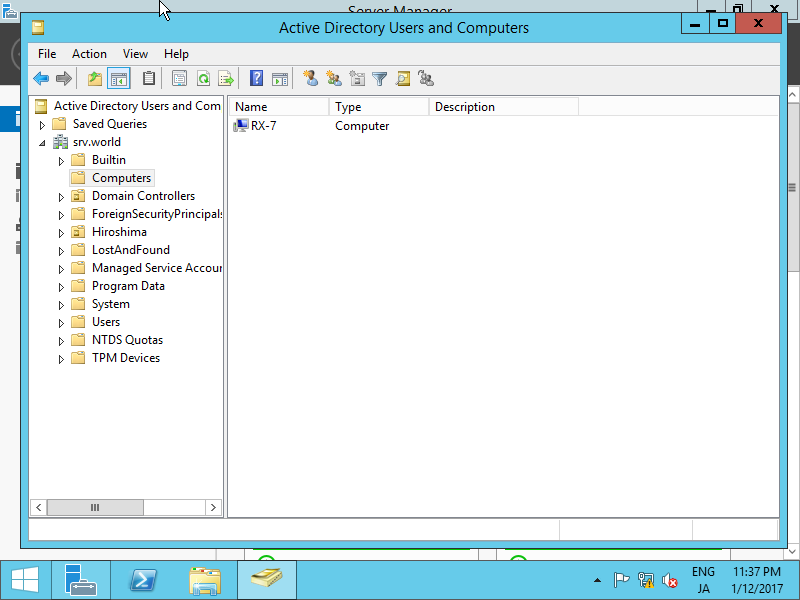
| [3] | A new Computer is just added. |
|